A room planner like The Sims: the same game, but it ends with drawings and a real cost estimate
A room planner like The Sims is the shortest way to explain FUTURIO Home. It is the same furniture-arranging game you already know — except that instead of a save file, you finish with millimetre-accurate drawings and a bill of materials with real prices.
Danylo Shevchenko, founder of FUTURIO
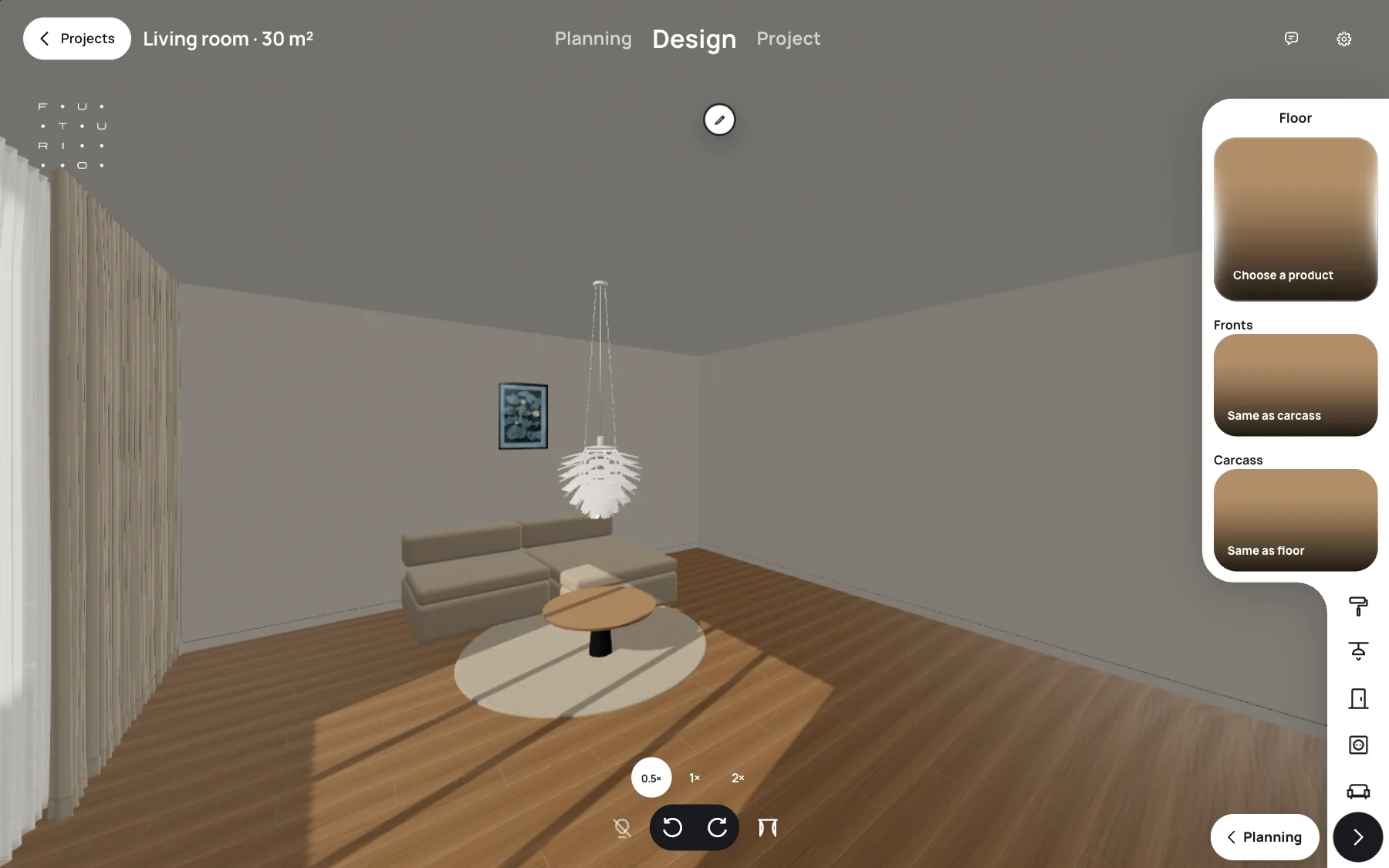
Build mode in The Sims is probably the world’s most popular crash course in home planning. Knock down a wall, repaint the living room, drag the sofa somewhere better — everyone has done it. There is just one catch: you can’t build anything you made in the game. FUTURIO Home keeps the feeling of play, but every action has a consequence in the real world. Here is what the two have in common, and where they part ways.
In short
FUTURIO Home feels a lot like build mode in The Sims: a top-down view, automatic layouts and a round menu when you click an object.
The difference is what happens next: walkways are checked in millimetres, every choice goes into the specification, and at the end you get drawings and a cost estimate.
Home doesn’t build a house from scratch: it works from the measurements of your real room.
Why did The Sims teach a whole generation to plan a home?
The first Sims game shipped on February 4, 2000. Its creator, Will Wright, drew on his own life: in 1991 he lost his house in the Oakland firestorm and had to rebuild from scratch. Another influence was architect Christopher Alexander’s A Pattern Language, a book about homes that work for the people in them, not just homes that look good. In other words, The Sims was a planning game from day one — it just came dressed as a life simulator.
The disguise worked on a global scale. According to Guinness World Records, by the series’ 20th anniversary in 2020 its games had sold more than 200 million copies, and EA announced in April 2023 that The Sims 4 alone had reached more than 70 million players. Researchers are curious about the link to careers too: a 2024 paper at the European Conference on Games Based Learning (ECGBL) asked whether people who study architecture and design share anything in how they played The Sims. And in January 2024 Dezeen published a feature in which interior designers describe how the game led them into the profession.
Millions of people already know how to plan a home — they learned it in a game.
Does the top-down view feel like build mode?
Open the Planning stage and you get a roofless room seen from above, just like build mode. A 36.4 m² living room with a sofa, a media console with a TV, a bookcase, a coffee table and a rug. On the right, Smart planning offers four variants: larger sofa, more storage, more space, or a table without a console. Pick one and the furniture rearranges itself.
Now the difference. In The Sims you can shove a sofa against the door and your character will simply get stuck, waving their arms. Home won’t let that happen: the dashed lines on the floor are routes from the door, and the planner keeps a 750 mm walkway around the furniture that never cuts through doors, openings or wall projections. If a layout doesn’t fit, you get an explanation instead of a pretty picture with a mistake in it.
How to arrange living room furniture
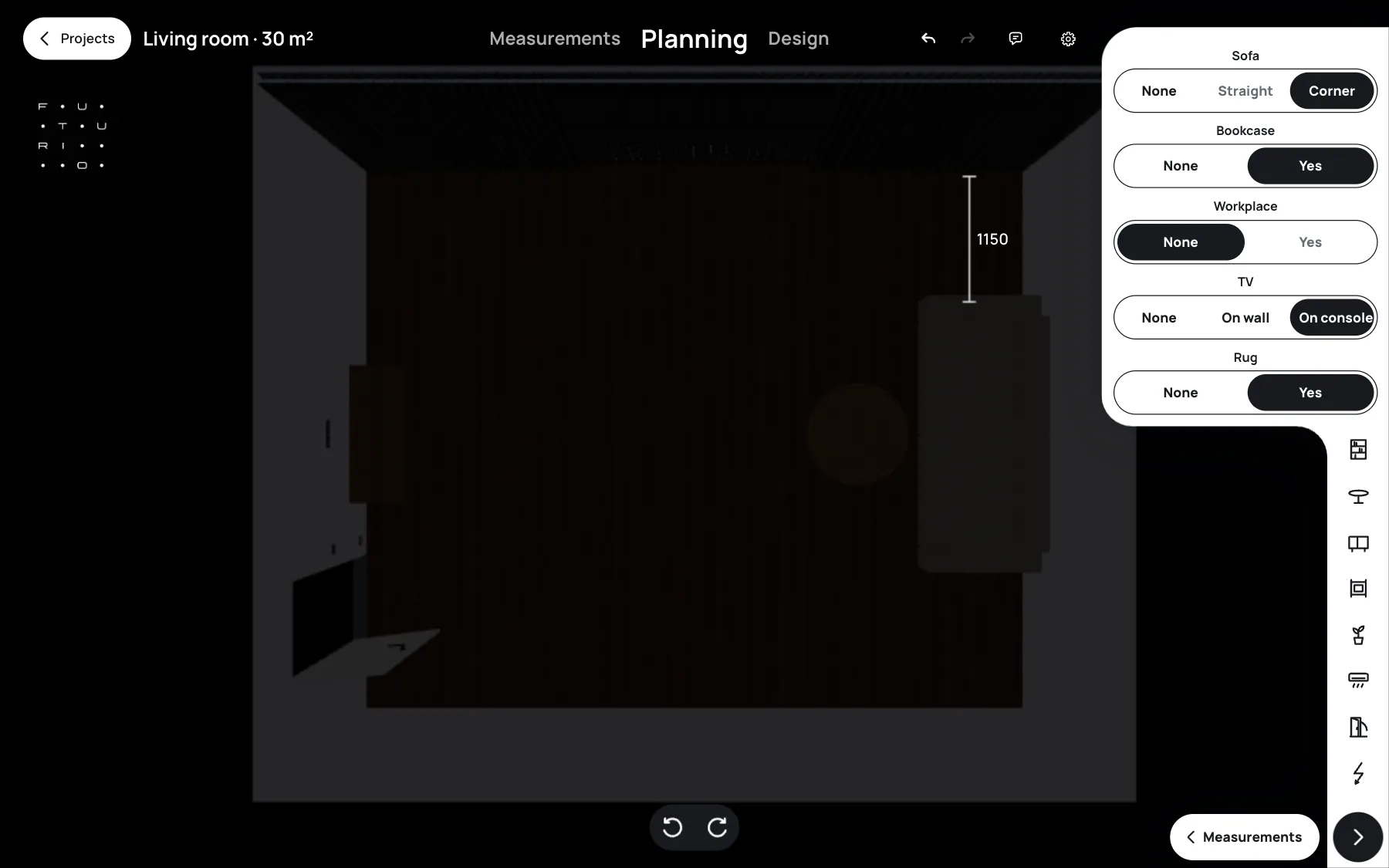
A game forgives a bad layout; a real flat doesn’t. Home checks the walkways for you.
Is there a round menu, like in the game?
Anyone who has played The Sims remembers the round menus that appear when you click an object. Home’s Design stage works the same way: click the sofa in 3D and a ring of fabric colours opens around your cursor. Hover over a wall and you get the same thing for paint. No lists, no tabs — you look at the room and change it right in the frame.
The difference is what happens next. In a game, a colour is just a texture. In Home, the shade you pick goes straight into the specification: the Furniture and equipment table lists the sofa modules in the fabric colour you chose, at 1000 × 1000 × 680 mm, with a quantity. Your furniture maker gets numbers, not an impression of a render.
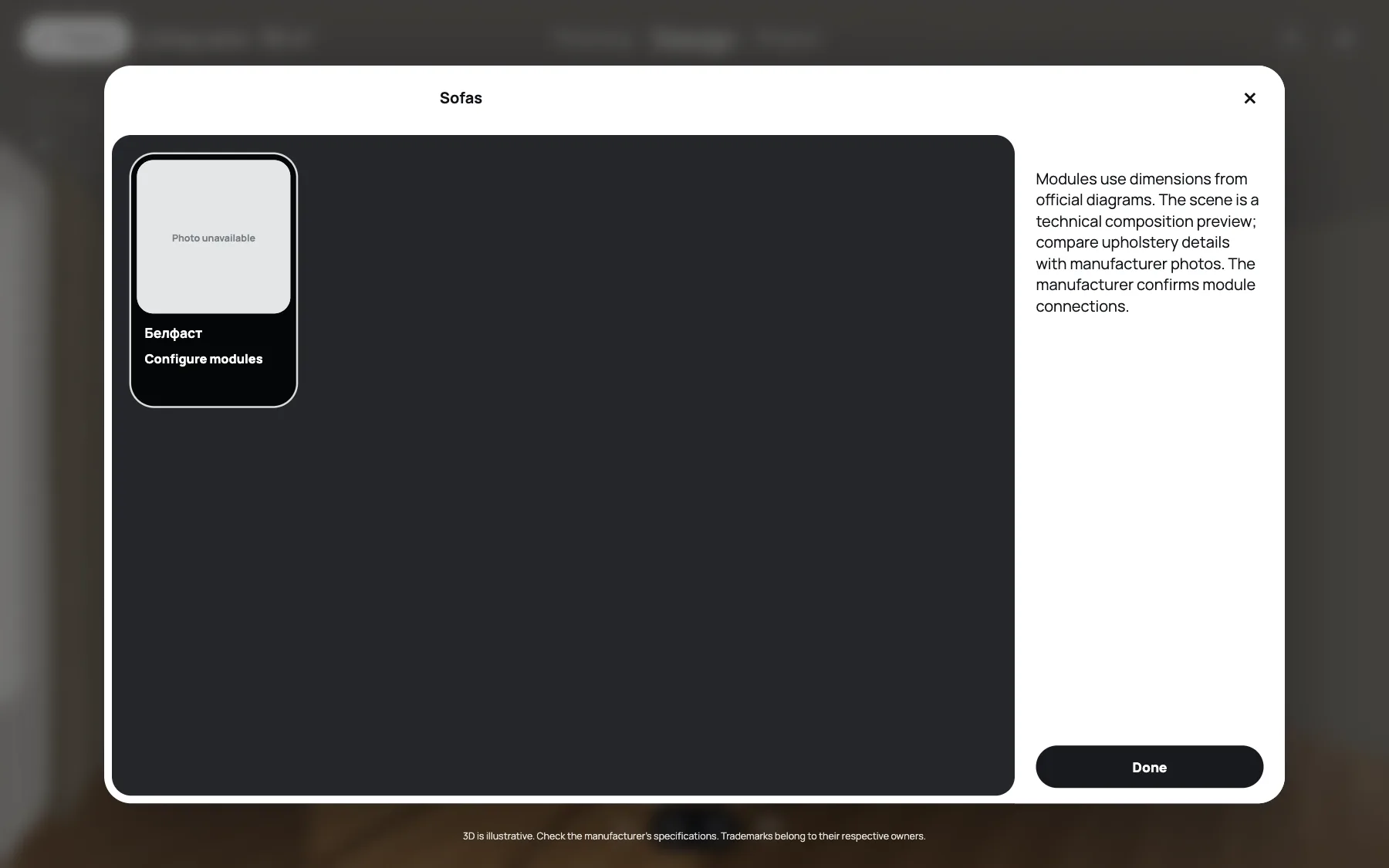
The interface feels like a game; every click ends up as a line in the specification.
What’s left after the game — a screenshot or a drawing?
In The Sims, walls have no thickness in millimetres and a floor lamp glows without a socket. That is why nothing from the game can be built — the best you get is a screenshot. Home starts with measurements and ends with drawings. The first sheet is the living room plan: 7000 × 5200 mm, 2800 mm ceiling, a 1800 × 1500 mm window set 700 mm above the floor and an 800 mm door. Every dimension is labelled, and the corners are marked A to D.
The rest of the package covers the design solution, ceiling, electrical, wall elevations, floor, visualisations and the cost estimate. The whole set downloads as one PDF at no extra charge — it comes with the Realistic package for the confirmed design of the room. Every sheet carries an honest note: check all dimensions on site before construction, because Home helps you design an interior but does not replace an engineer.
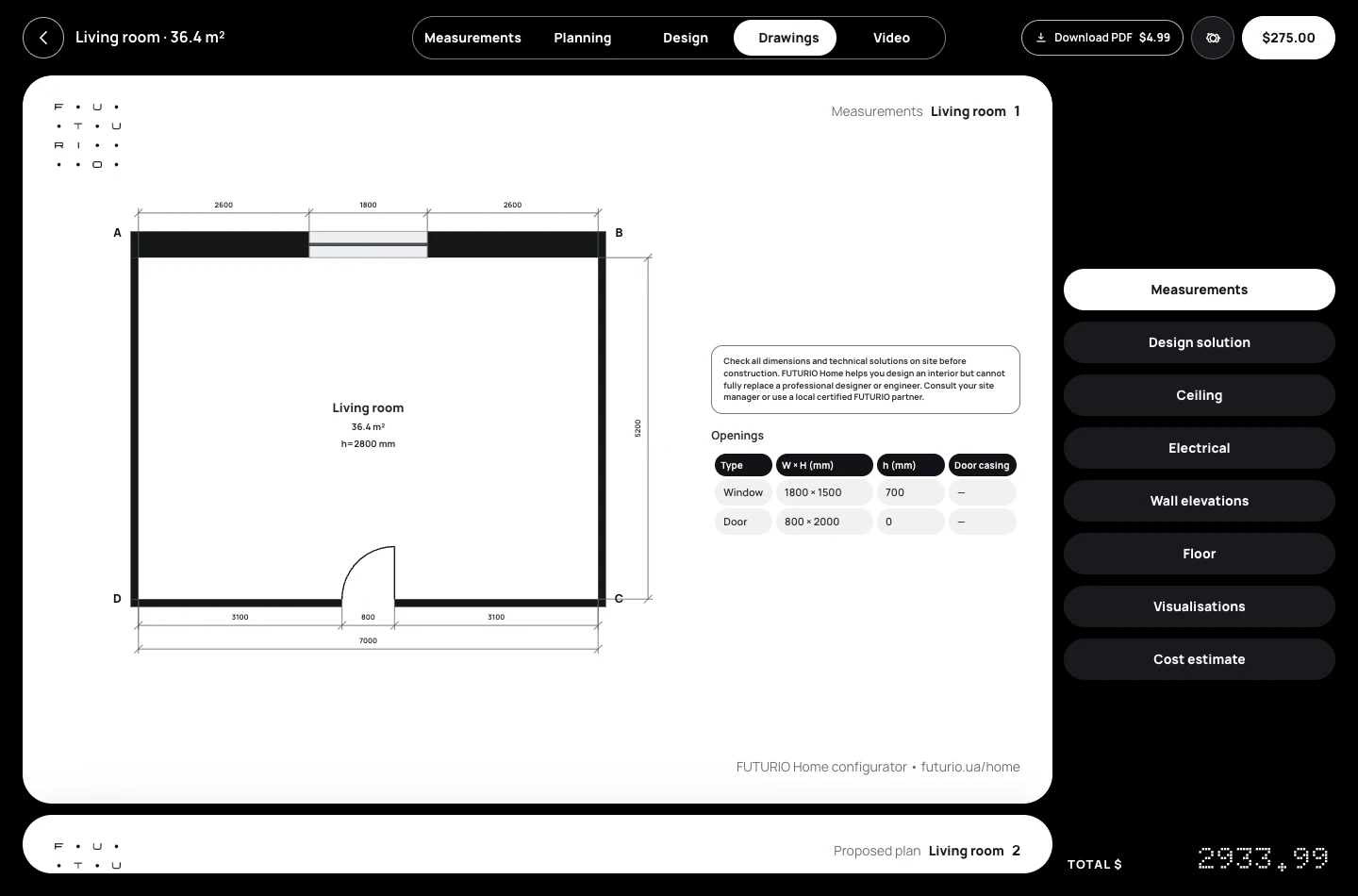
A game leaves you a screenshot; Home leaves you drawings you can hand to the builders.
Is there a motherlode cheat here?
Every Sims player knows motherlode, the cheat that tops up your Simoleons the moment the budget runs dry. Renovation has no such button, and the numbers prove it. According to the 2026 U.S. Houzz & Home Study, 37% of homeowners went over their renovation budget in 2025. 52% of them blamed products or services that cost more than expected, and 31% expanded the project halfway through.
That is why the last sheet in Home is the Cost estimate. For our living room it lists seven items for $2,933.99: engineered wood flooring from a real manufacturer with a 5% allowance already included, a flush door, a door handle, and sockets, a switch and frames from the catalog. Each card shows quantity, unit price and line total, so you see what a decision costs before you buy the first bag of plaster.
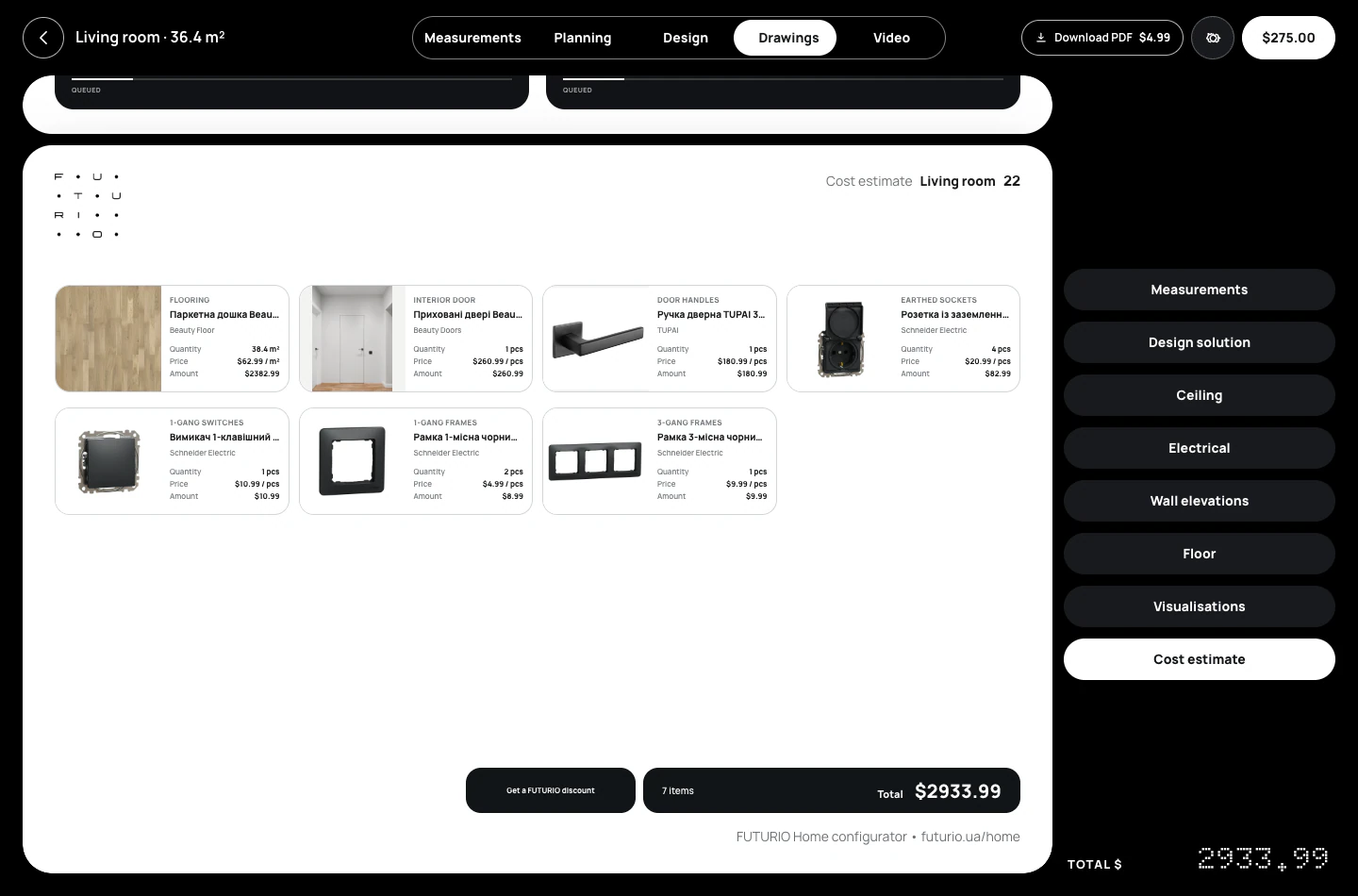
The Sims hands you money with a cheat code; Home shows how much you actually need.
FAQ: The Sims and FUTURIO Home
Is FUTURIO Home like The Sims?
In its interface, yes: a top-down view, automatic furniture layouts and a round menu on click. But the result isn’t a saved game — it’s millimetre drawings and an estimate of real products.
Can I build a house from scratch in FUTURIO Home, like in The Sims?
No. FUTURIO Home works from the measurements of your real home. For now it works room by room: bedroom, living room and kitchen. Working with the whole home in one project is the next step we’re building.
Do I need a powerful computer, like for modern games?
No. FUTURIO Home runs in the browser: there’s nothing to install, and the 3D scene needs no powerful graphics card and no render wait.
How much does it cost to try?
Designing a room is free. The full set of drawings as one PDF comes with the Realistic package for the confirmed design of the room.
Does it replace an engineer or a designer?
No. FUTURIO Home helps you design an interior and assemble the drawings, but dimensions and technical solutions should be checked with your contractor on site.
It plays like The Sims and ends with drawings for your contractors.
Verdict: should a Sims player give Home a try?
FUTURIO Home borrows the best of The Sims: the top-down view, automatic layouts, the round click menu and the pleasure of watching a room change in front of you. But every action here has a real consequence — a walkway in millimetres, a line in the specification, a drawing sheet and a total in dollars.
To be clear about the limits: FUTURIO Home doesn’t build a house from scratch the way The Sims does. It works with a real room and its measurements — room by room for now, to keep it simple, and later with the whole home in one project. So if your tape measure is off, the drawings will be too. Estimate prices are a guide for making decisions, and technical solutions should be checked with your contractor on site.
The Sims is a trademark of Electronic Arts Inc.; FUTURIO is not affiliated with or endorsed by EA. Every image in this article is a FUTURIO Home screenshot.
If you ever built a dream house in The Sims, you already know how to use Home — start by measuring your own room.